Websites for UK businesses, explained
What Computer Do You Need for Web Design Work?
10 November 2026
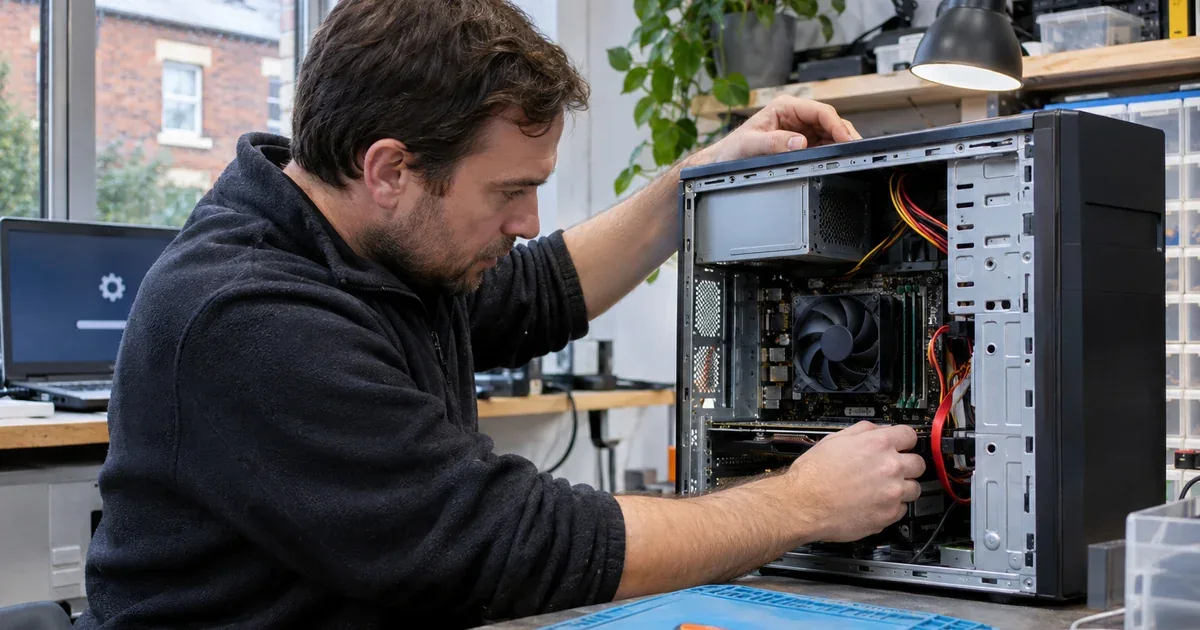
A good computer for web design does not need to be a top-end machine. What matters is plenty of memory for lots of browser tabs and design tools, fast storage, a screen with enough room and accurate colour, and access to the phones and browsers your visitors use.
Quick answer: For most web design work, prioritise memory, a fast SSD and a good screen over a powerful graphics card. Heavy photo editing, video or 3D work need more processing and graphics power. Keep a real phone or two for testing, and back up your work off the machine.
Key Takeaways
Memory matters more than raw power for browser-heavy design work.
A fast SSD makes everyday tasks and large files feel quicker.
Screen space and colour accuracy affect your work directly.
Video, 3D and heavy image editing need a stronger processor and graphics card.
Test on real phones, not just a resized browser window.
What Web Design Actually Asks of a Computer
A typical day might mean a design tool, a code editor, a local test server, an image editor, email and a few dozen browser tabs all open at once. None of these is especially demanding on its own, but together they use a lot of memory. When memory runs short, the computer starts swapping to storage and everything slows.
The Parts That Matter Most
Memory (RAM)
This is the first thing to get right. Browsers and design tools are hungry for memory, so aim for more than the entry-level amount and make sure it can be upgraded later. Check the software you use, as the makers usually publish recommended specifications.
Storage
Choose a solid-state drive (SSD) for the main drive. It makes start-up, opening projects and searching files much quicker than an old hard disk. Allow room for project files, image libraries and local copies of client sites.
Processor
A modern mid-range processor handles coding, browser testing and most image work comfortably. Step up if you edit video, build complex animations or run several virtual machines for testing.
Graphics card
For layout, coding and everyday image work, a separate graphics card is rarely essential. It earns its place for video editing, 3D work, or driving several high-resolution monitors.
Screens and Colour
Two screens, or one wide one, make it much easier to have a design on one side and the browser or code on the other. If you match brand colours or edit photos, look for a monitor with good colour coverage and consider a calibration tool, so what you see is close to what clients see.
Write your list in order of priority: memory first, then storage, then screen, then processor, then graphics. If you would rather have a machine built to that list than buy one off the shelf, a UK builder such as McKinnon Custom Computers in Inverurie can put one together.
Desktop or Laptop?
A desktop usually gives you more performance and easier upgrades for the money, and it is easier to keep cool and quiet. A laptop suits you if you work between home, an office and client meetings. Many designers use a desktop for the main work and a modest laptop for travelling.
Testing on Real Devices
Your computer is probably far faster than the phone most visitors use. Keep at least one mid-range Android phone and one iPhone for testing, and use the browser's throttling tools to see how pages behave on a slower connection. Our guide to Core Web Vitals scores explains the measures Google uses for real visitors.
Testing is also about access. Try your designs with a keyboard only and with your operating system's built-in screen reader, which costs nothing. Our guide to accessibility law for UK businesses sets out why it matters.
Choosing a Computer for Web Design on a Budget
If money is tight, spend on memory, storage and the screen first, because those affect every working hour. A mid-range processor and no separate graphics card are fine for most layout and coding work, and both can often be upgraded later on a desktop. Check that the case has space and the power supply has headroom if you think you will add a graphics card.
Comfort Counts Too
You will spend long days at this desk, so a good chair, a keyboard you like typing on and a monitor at eye level are worth as much as a faster processor. The Health and Safety Executive publishes free guidance on working safely with display screen equipment, which is a useful checklist even if you work alone at home.
Protect Your Work
A new computer does not protect your files. Keep an off-machine backup of every project, and keep your own copy of each client site rather than relying on the host alone. If you build sites for clients, our guide to who owns a website explains why clear agreements on files and access matter.
Frequently Asked Questions
Do I need a gaming PC for web design?
No. Web design mostly needs memory, fast storage and a good screen. A powerful graphics card helps only with video, 3D or very large image files. If you would like some help with this, get in touch with our team.
Is a Mac or Windows PC better for web design?
Both work well. Choose the system your design tools run best on, and test your sites on both platforms and on real phones whichever you use.
How much storage do I need for web design?
It depends on your projects. Allow for project files, images and local site copies, and keep backups on a separate drive or cloud service.
Does Website Basics sell computers?
No. Website Basics is an independent guide. We explain what to check, but we don't sell computers, build websites or take orders.